
Tutorial: Build a Todo extension
This tutorial builds a working Todo list VS Code extension from nothing — a
database, a typed model, a full CRUD UI, and a background reminder — using only
vsceasy commands. After each command you’ll see exactly what it generated and
why.
It mirrors the shape of Angular’s Tour of Heroes: small steps, each one runnable, each one explained.
What you’ll build
Section titled “What you’ll build”A VS Code extension that:
- Stores todos in the built-in mini-ORM.
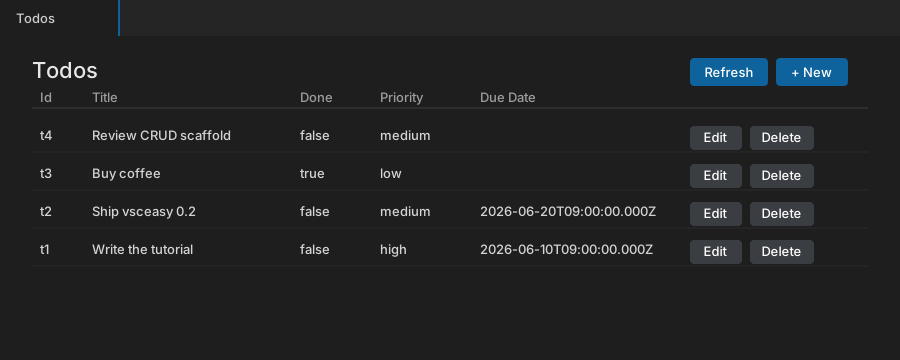
- Shows a list panel (table with Refresh / New / Edit / Delete).
- Shows a form panel with the right input per field — text, checkbox for the boolean, a dropdown for the priority union, a date picker for the due date.
- Fires a daily reminder notification for overdue todos.
What you’ll learn
Section titled “What you’ll learn”- How
createscaffolds a project, and what each generated file is for. - How
db init+model adddefine typed, persisted data. - How
crud addturns a model into a full list + form UI with typed RPC. - How
job addregisters background work. - How
bun run genwires everything intopackage.jsonand the registry.
Prerequisites
Section titled “Prerequisites”- Bun installed (
bun --version). - VS Code with the
codeCLI on yourPATH(Command Palette → Shell Command: Install ‘code’ command in PATH).
The steps
Section titled “The steps”- Scaffold the project —
vsceasy create. - Add the database and the Todo model —
db init+model add. - Generate the CRUD UI —
crud add. - Add a reminder job and run it —
job add, then launch.